How to?
Step-by-step guides for Tibiapoint.
No account? Guests can try Hunt Optimizer Lite. Calculations temporarily use server-side jobs; your setup stays in this browser tab and is not saved to an account. Open Hunt Optimizer Lite
Click a screenshot to open it in full size.
Set up your character once – the Hunt Optimizer uses these details for every calculation.
-
Open your character
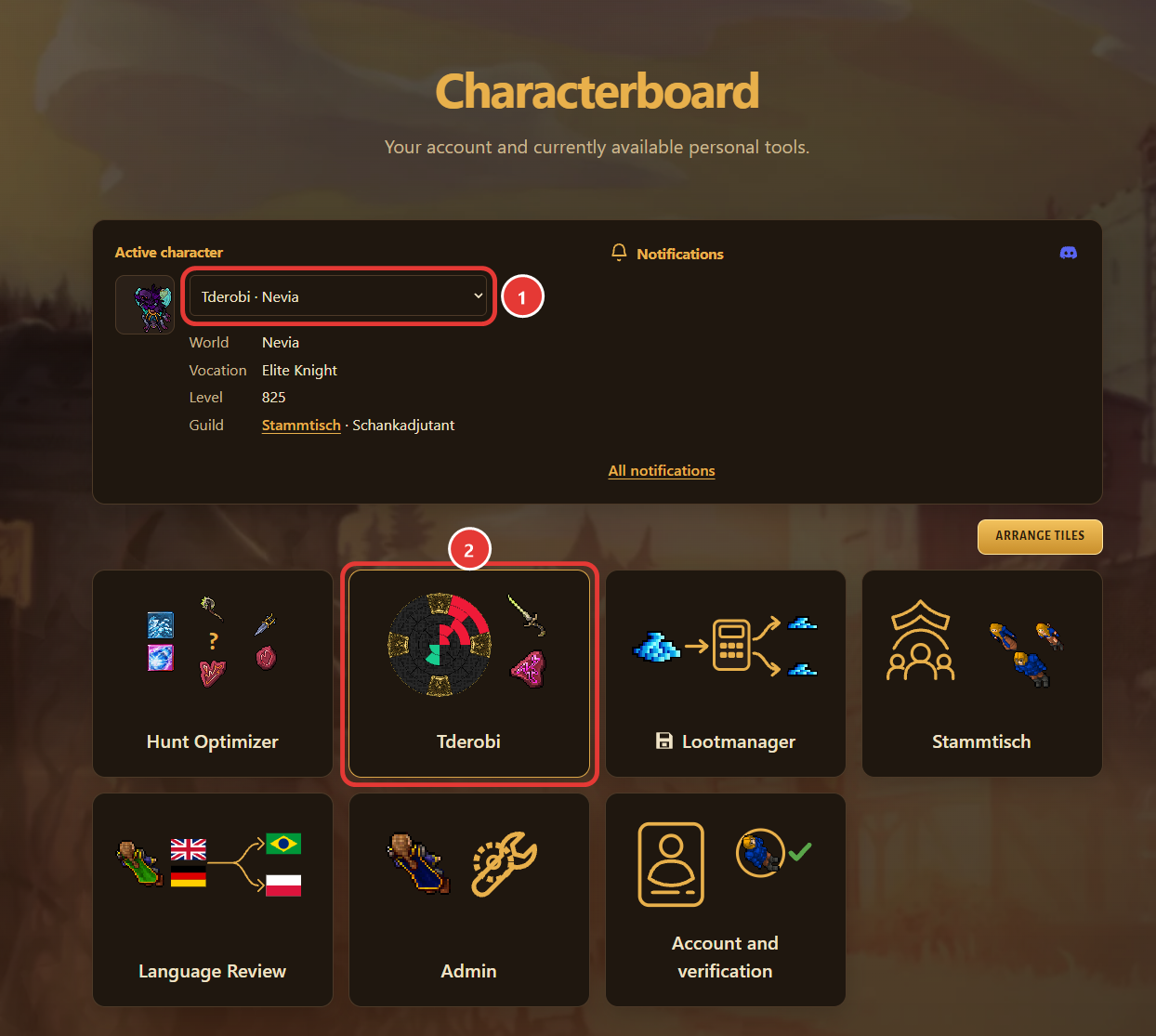
On the Characterboard, open your character tile – the tile with your character’s name and the Wheel. The active character must be the one you want to optimize; choose it under “Active character” first.
-
Enter your skills
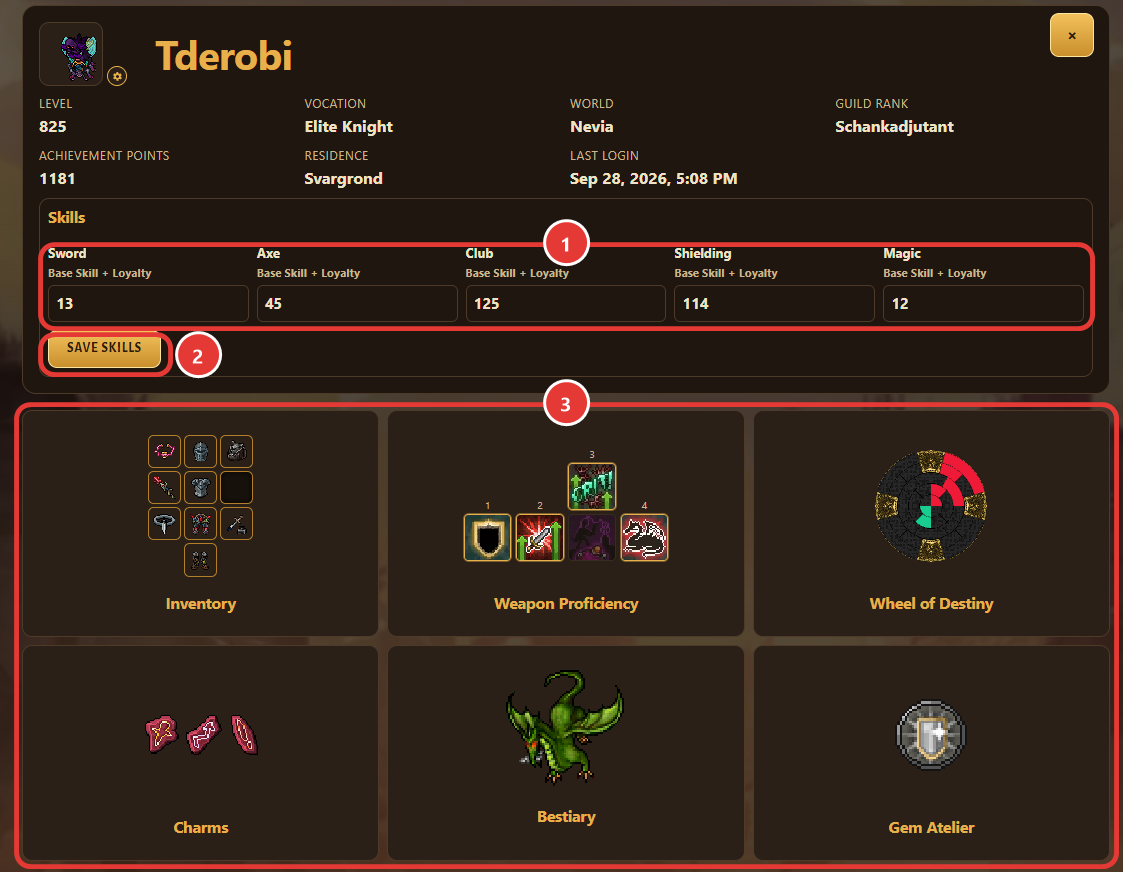
In the character profile, enter your skills as base skill + loyalty and click “Save skills”. From here you open Inventory, Weapon Proficiency, Wheel of Destiny, Charms, Bestiary and Gem Atelier.
-
Set up your inventory
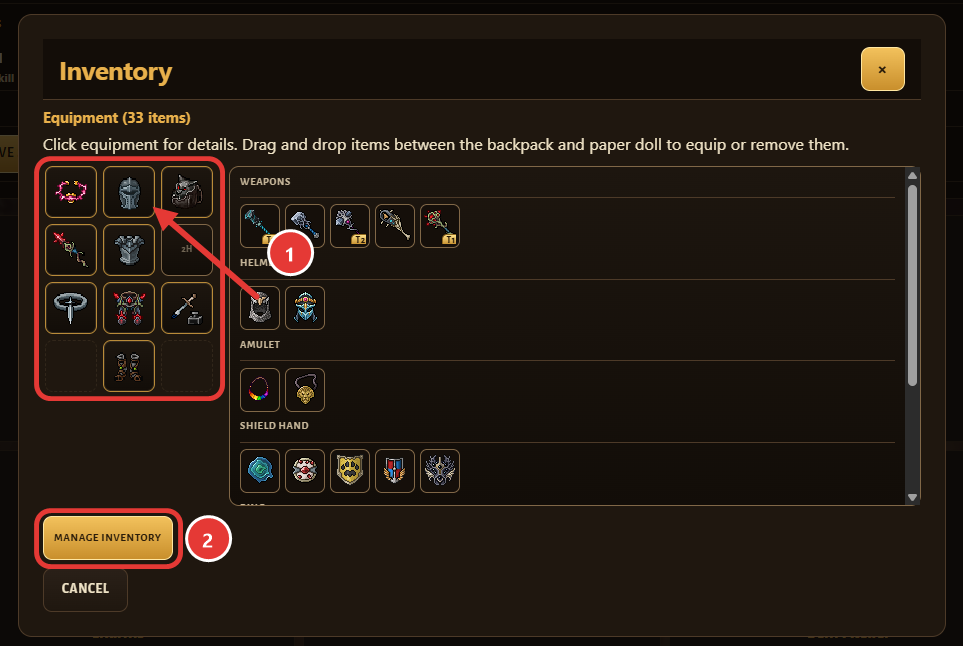
Equip items by drag and drop: drag them from the backpack onto the paper doll, or back into the backpack to take them off. The Hunt Optimizer calculates with the equipment worn on the paper doll. Weapons and shields are the exception: the Hunt Optimizer compares all of them from your inventory, whether equipped or not. Click “Manage inventory” to add more items.
-
Add items
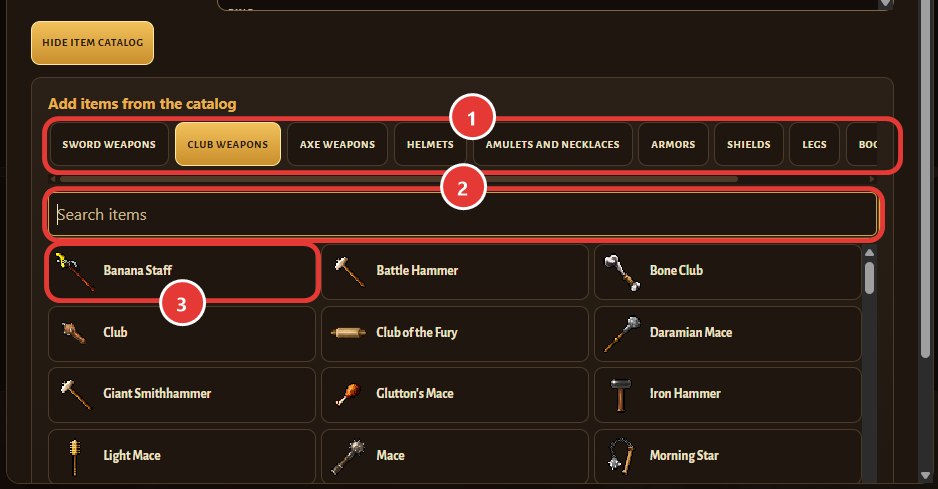
Find items in the catalog by category or with the search and add them to your inventory.
-
Imbuements and Forge tier
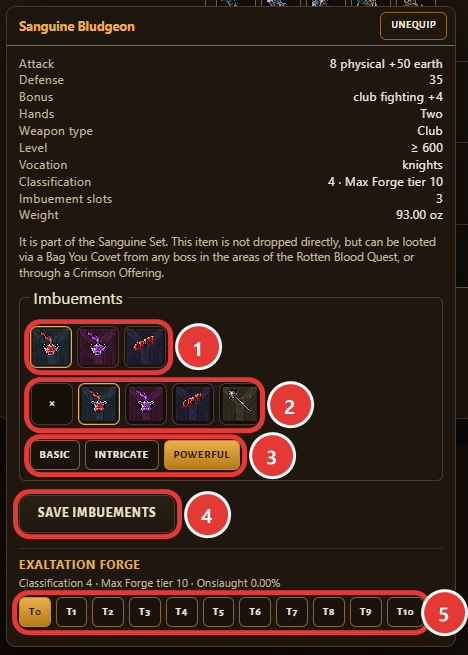
Click an item to set its Imbuements (Basic, Intricate or Powerful) and click “Save Imbuements”. Set the item’s Exaltation Forge tier there as well.
-
Weapon Proficiency
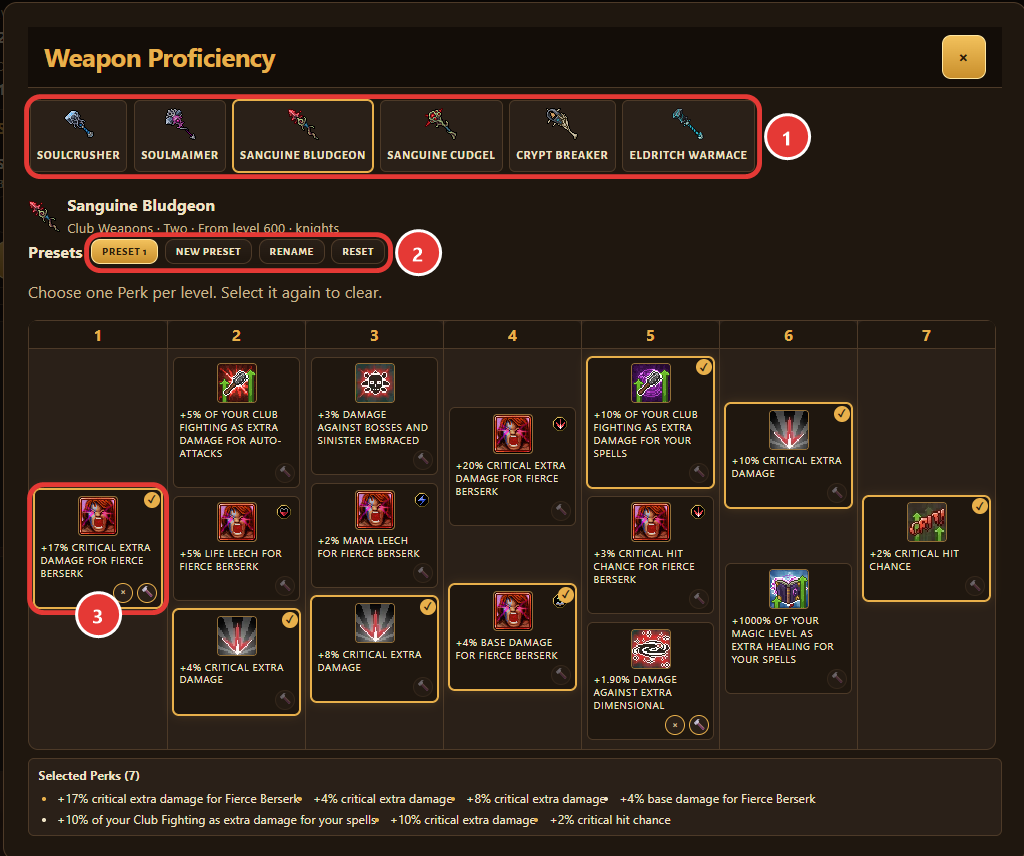
For each weapon, choose one perk per level. With presets you can keep several setups: “New preset”, “Rename” and “Reset”.
-
Wheel of Destiny
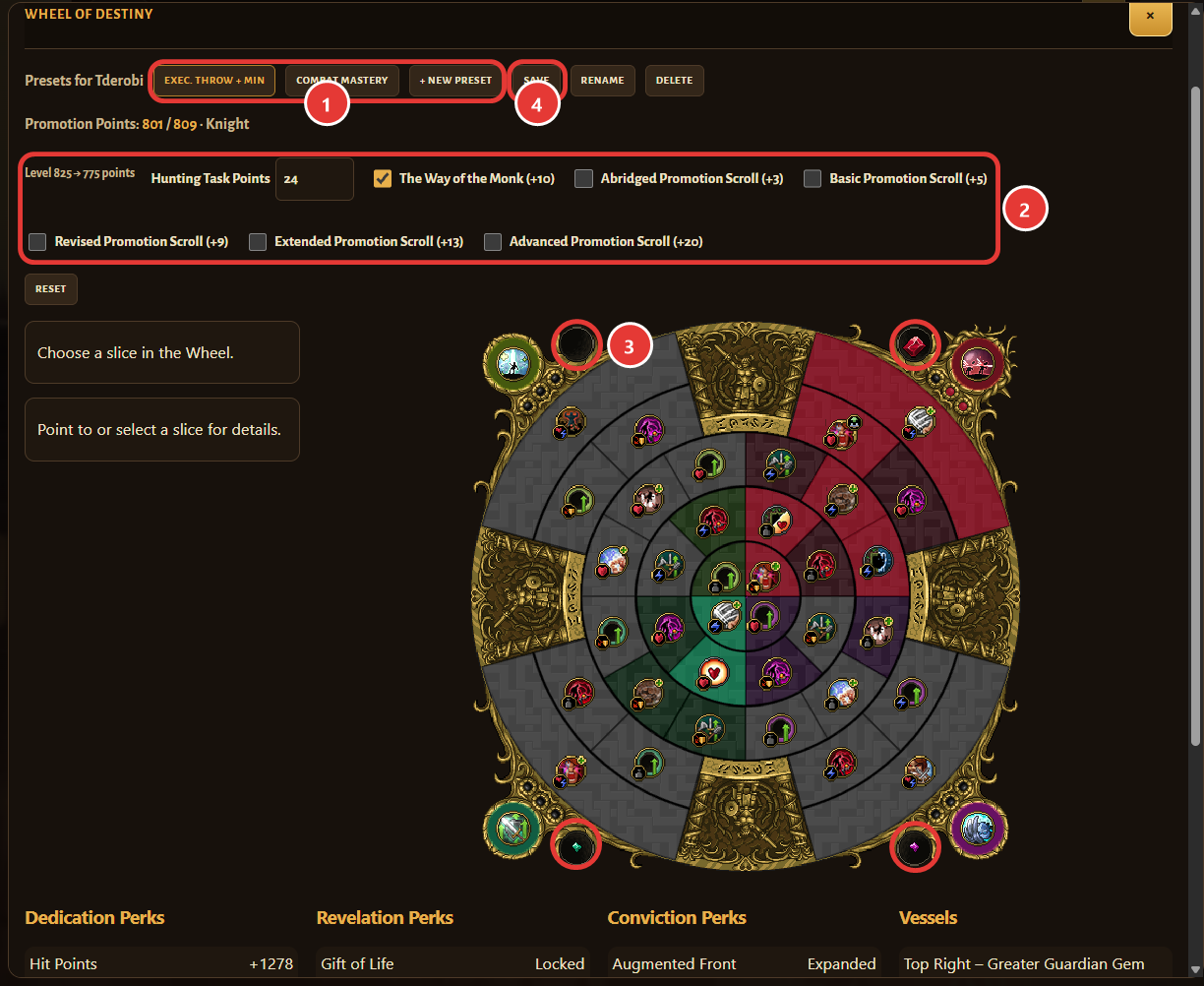
Create Wheel presets for your character. Enter your Hunting Task Points and tick your Promotion Scrolls so the Promotion Points match your character. Click a gem socket (Vessel) in a corner of the Wheel to choose the gem and its mods. Then click “Save”.
-
Charms
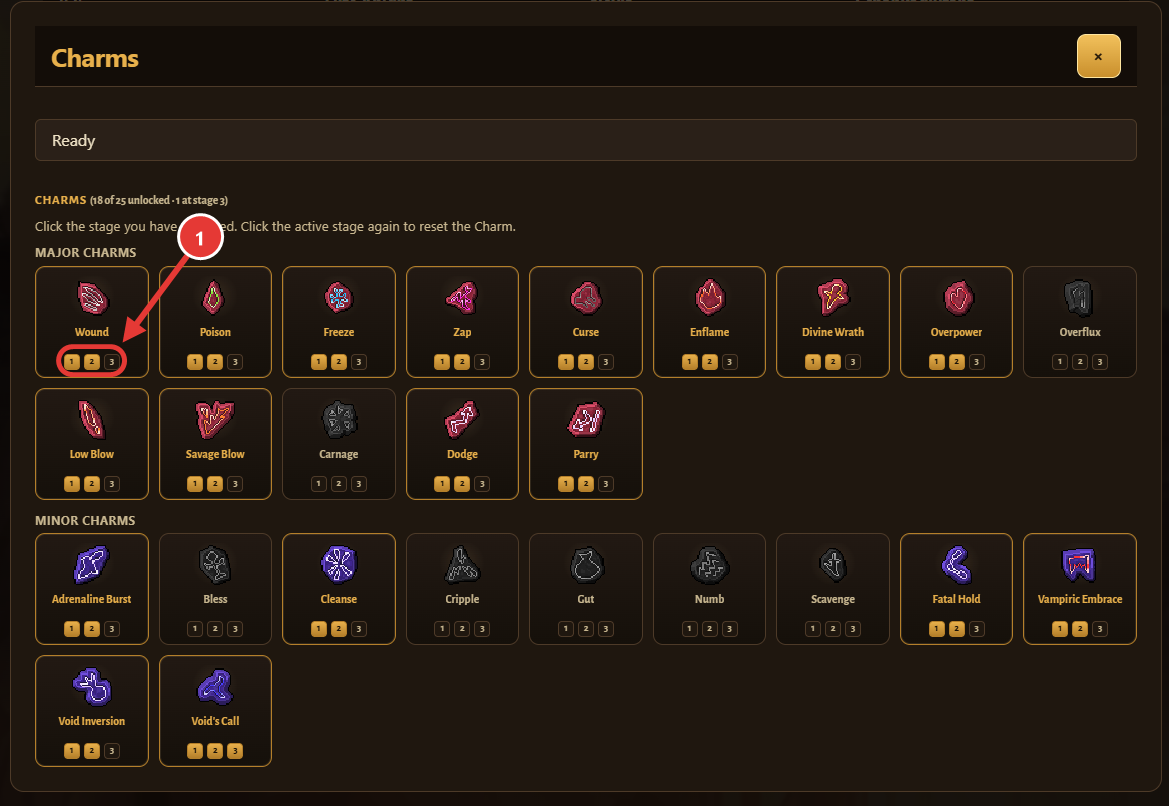
Click the stage you have unlocked for each Charm. Click the same stage again to reset it.
-
Gem Atelier
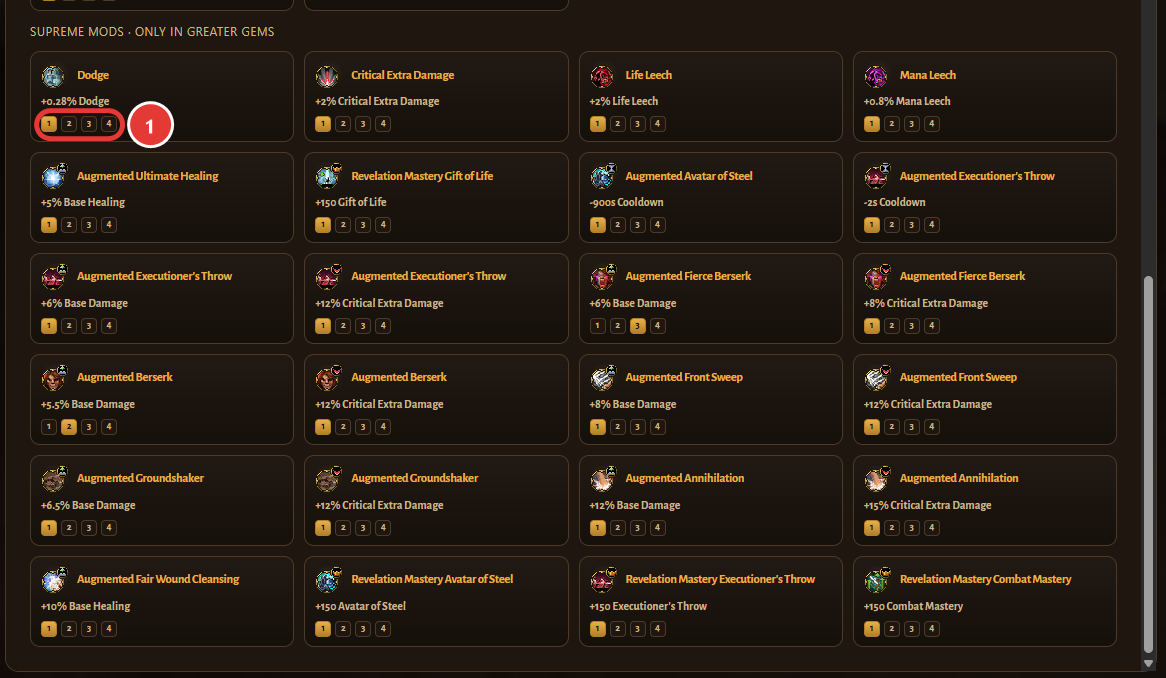
Set the grades of your gem mods: Basic Mods, and Supreme Mods, which only exist in Greater Gems.
Let the Hunt Optimizer find the best setup for your hunt. Set up your character first so the result fits. Go to “Set up your character”
-
Open the Hunt Optimizer
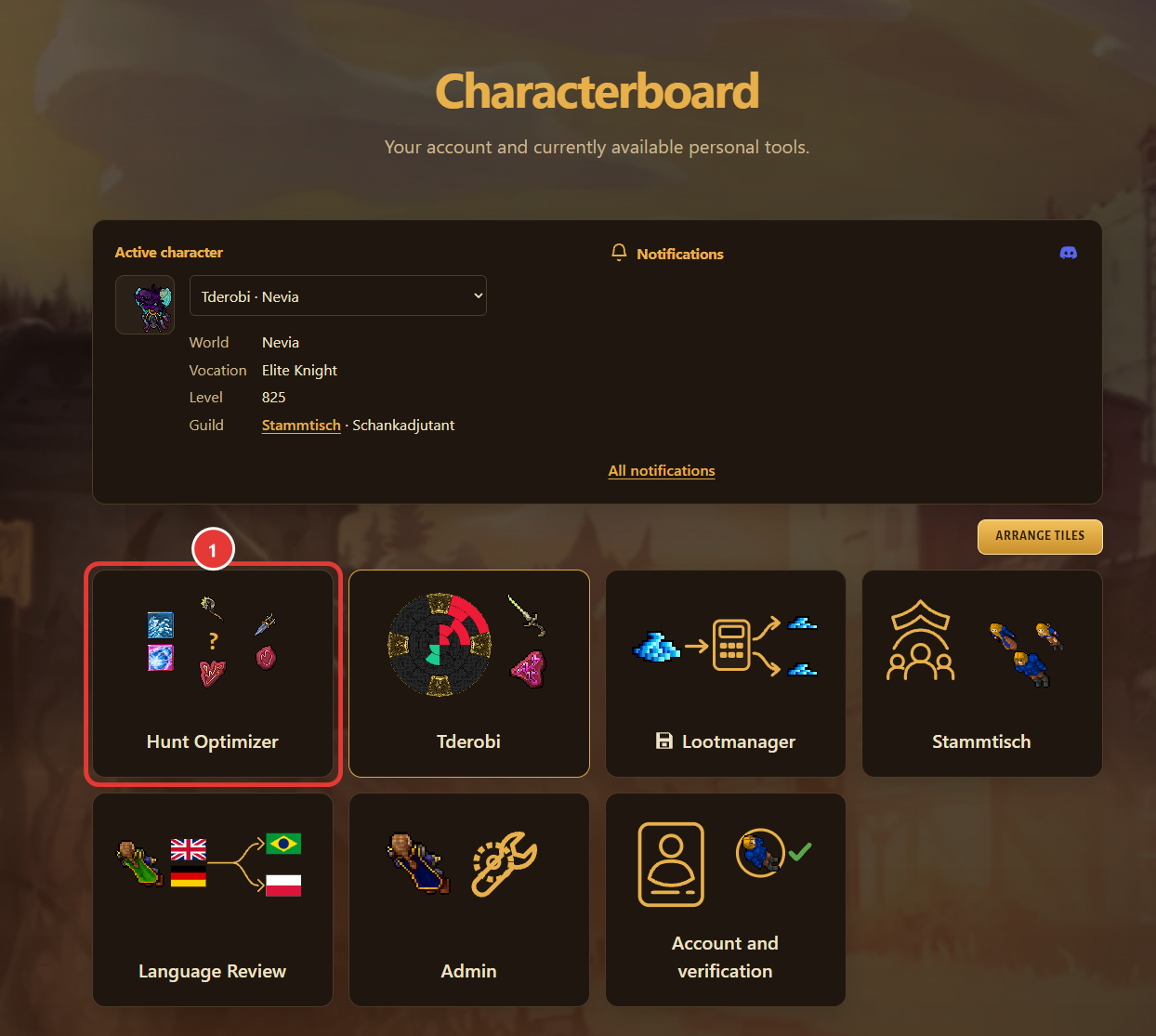
On the Characterboard, click the Hunt Optimizer tile.
-
Load a hunt
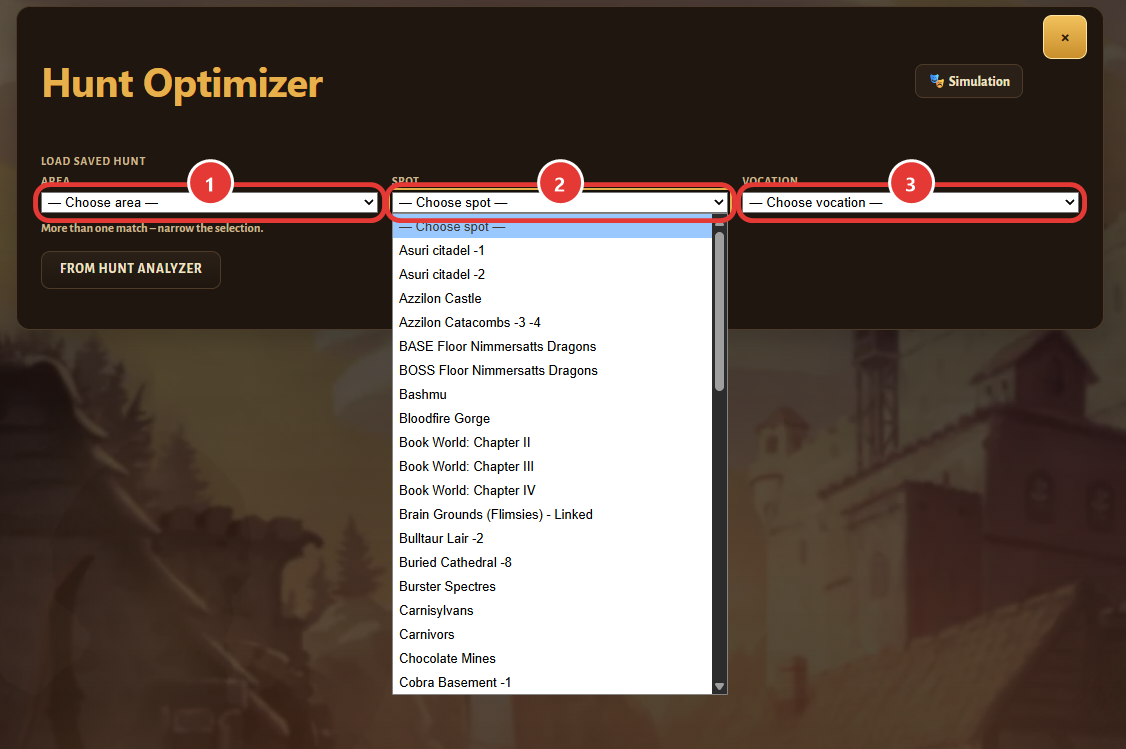
Load a saved hunt: choose area, spot and vocation.
-
No hunt yet? Use the Hunt Analyzer
Requirement: reset the Hunt Analyzer right before the hunt and copy it right after.
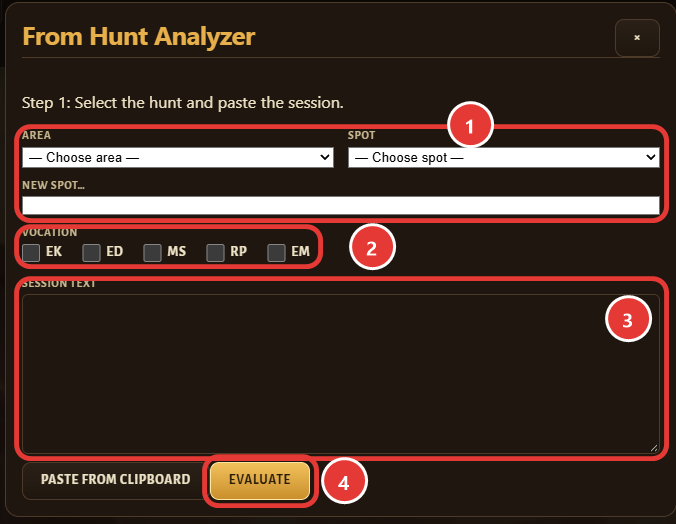
Click “From Hunt Analyzer” and choose area and spot – or “New spot…”; new spots are reviewed by an admin before they appear. Tick the vocations, paste the session text of the Hunt Analyzer and click “Evaluate”.
-
Check the hunt
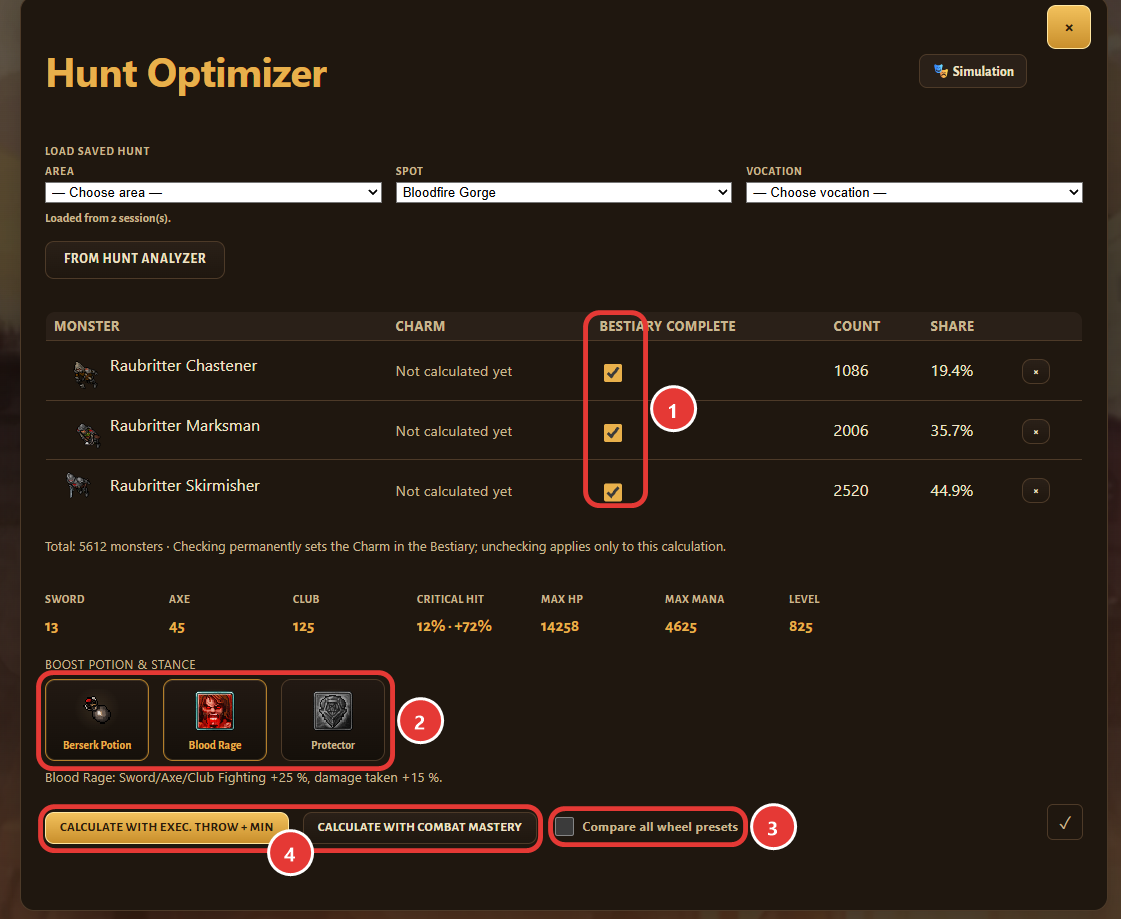
Check the monster list. Ticking “Bestiary complete” permanently sets the Charm in your Bestiary; unticking only affects this calculation. Choose boost potion and Stance, optionally tick “Compare all wheel presets”, then click “Calculate”.
-
Your recommendation
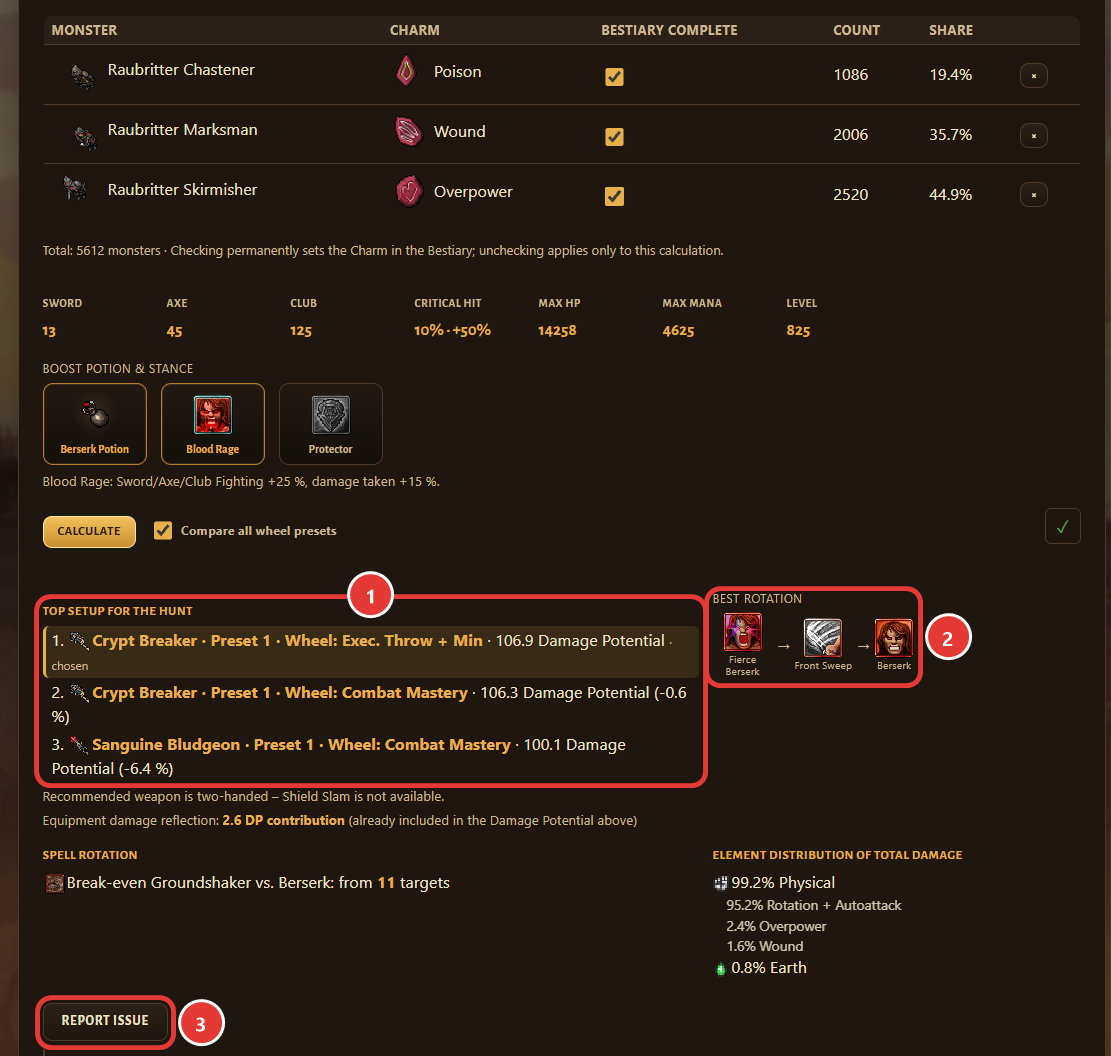
The result shows the top setup for this hunt – weapon, Weapon Proficiency preset, Wheel preset and Damage Potential – as well as the best rotation, the Charm for each monster and the element distribution. If something looks wrong, click “Report issue”.
Questions the Optimizer answers
- Which Charms make the most sense, and on which monsters?
- Which weapon should I use?
- How should I set my Weapon Proficiency?
- Which Wheel of Destiny setup should I use?
- Which spell rotation deals the most damage?
- Which Prey gives me the most experience?
The Hunt Optimizer works out which setup deals the most damage for your character on your hunt.
What goes in
- Your character: vocation, level, skills, equipment with Imbuements and tiers, Weapon Proficiency, Wheel of Destiny, gems and Charms.
- Your hunt: the monsters of the spot with their Bestiary values – weaknesses and resistances per element – and how many enemies a spell hits.
- The spells and runes of your vocation with their cooldowns.
What comes out
- The best weapon from your inventory, the strongest spell rotation and the matching Charm for each monster.
- Depending on your vocation also Stance, ammunition or rune.
- How your damage is distributed across the elements.
What is behind it
- The damage formulas come from our own in-game measurement series, measured separately for each of the five vocations.
- The data covers 498 weapons with their Weapon Proficiency tables, the complete Wheel of Destiny, 140 gem mods and the attack spells and runes of all five vocations.
- For every recommendation the possible combinations are calculated and compared with each other.
- More than 3.000 automated checks make sure the calculation stays correct after every change.
The result is an expected value, not a promise: in a real hunt, walking routes, respawn and luck play a part. If something looks wrong, click “Report issue”.
Hunt Optimizer Lite
The same calculation, without an account and without a saved character. You enter your setup by hand; it stays in this browser tab and is not saved to an account. Open Hunt Optimizer Lite